- One bank account
- Transaction categorisation
- Spending charts & breakdowns
- AI-powered CSV mapping
- Try everything in Pro for 30 days 30 DAY TRIAL
NumeroMoney
by

Finally understand where your money goes. Import your bank statements, categorise transactions and set budgets in minutes. See your spending come to life with beautiful charts and insights.
No bank login required • Works with any bank • Free to get started
Set Up in 2 Minutes
Modern Encryption
30-Day Pro Trial
The Problem
- Busy lives make it hard to understand where our money goes
- Spreadsheets are tedious and take hours to maintain
- Banking apps show transactions but no real insights
- You want to budget better but don't know where to start
The Solution
- See exactly where every penny goes with visual breakdowns
- AI-powered categorisation learns from your choices
- Beautiful charts that make spending crystal clear
- Set category budgets and track your progress
Everything You Need to Master Your Money
Powerful features that make understanding your spending effortless
Smart Categorisation
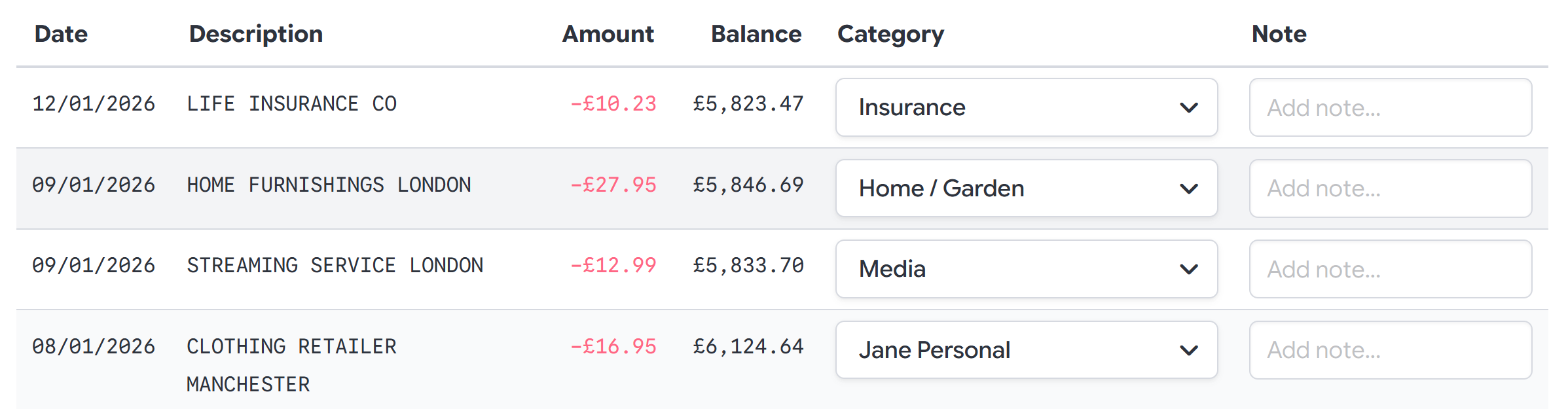
Categorise Transactions in Seconds
Our intelligent system learns from your categorisation choices. After just a few transactions, NumeroMoney will suggest categories automatically, making the process incredibly fast.
- AI-powered category suggestions
- Create custom categories and budgets
- Split transactions across multiple categories
- Add notes for future reference
Visual Analytics
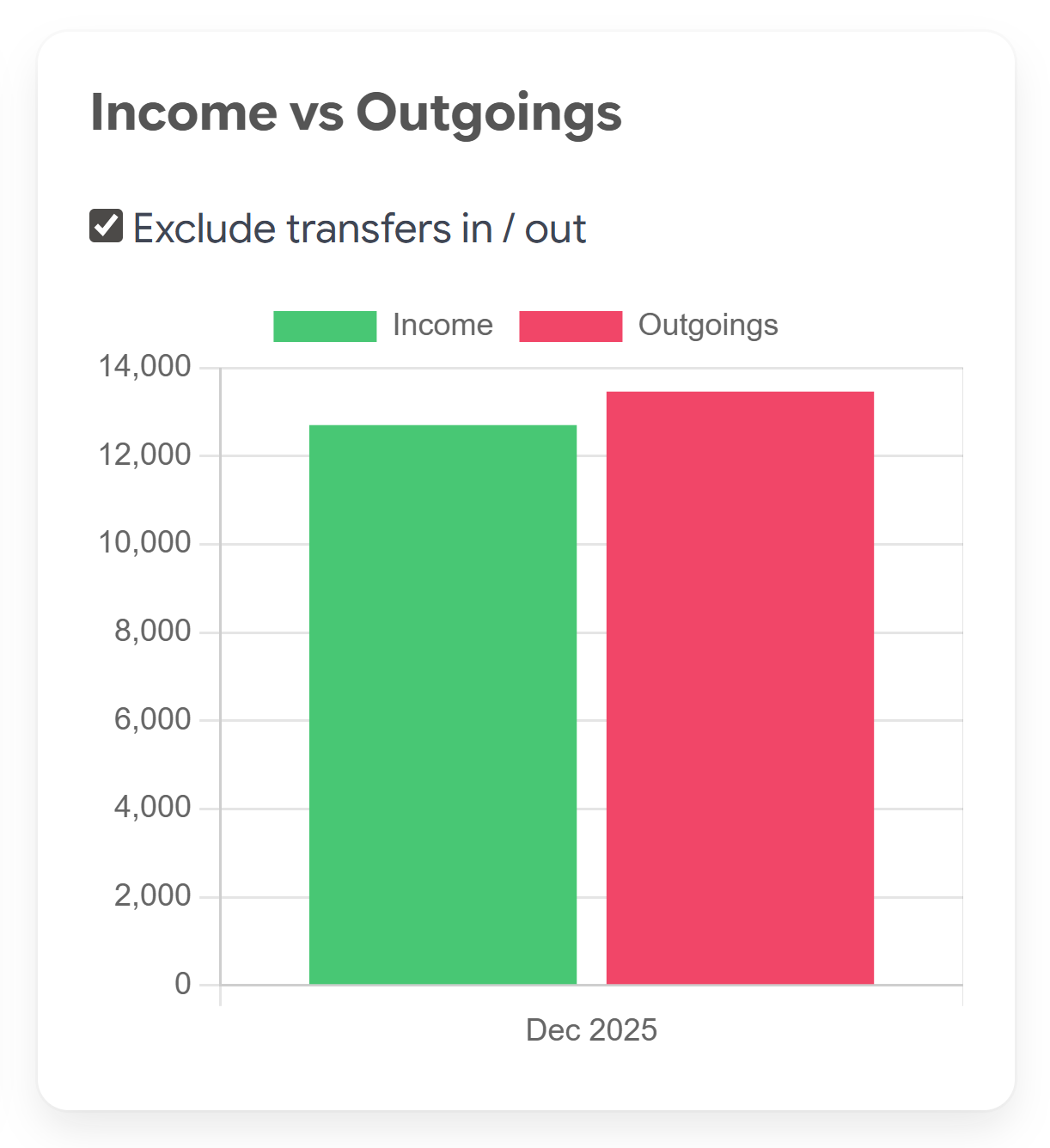
See Your Spending Come to Life
Beautiful, interactive charts transform your raw transaction data into actionable insights. Instantly spot trends, compare periods, and understand exactly where your money flows.
- Interactive spending charts
- Compare month-over-month trends
- Filter by date, category, or amount
- Export charts and reports
Deep Insights
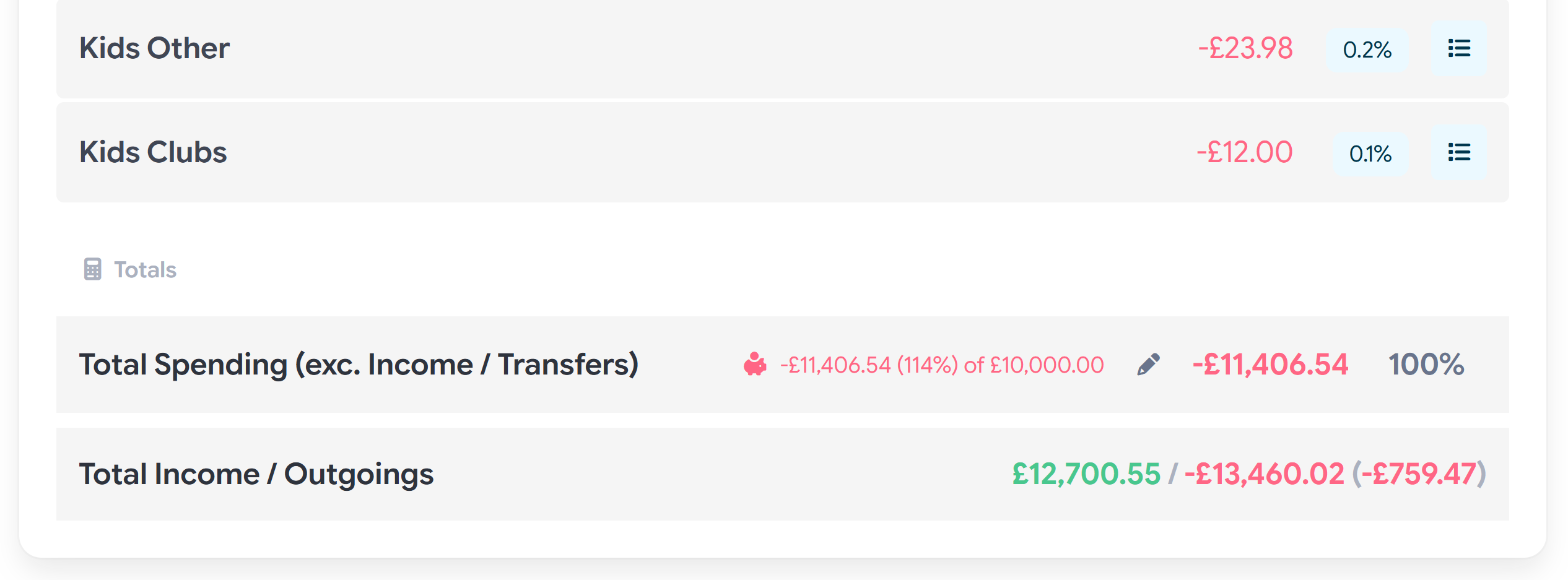
Know Exactly Where Every Pound Goes
Get a complete breakdown of your spending by category. Drill down from high-level totals to individual transactions. Finally answer the question: "Where did all my money go?"
- Hierarchical category breakdowns
- Click to view individual transactions
- Percentage and total views
- Exclude transfers for true spending view
Flexible Reporting
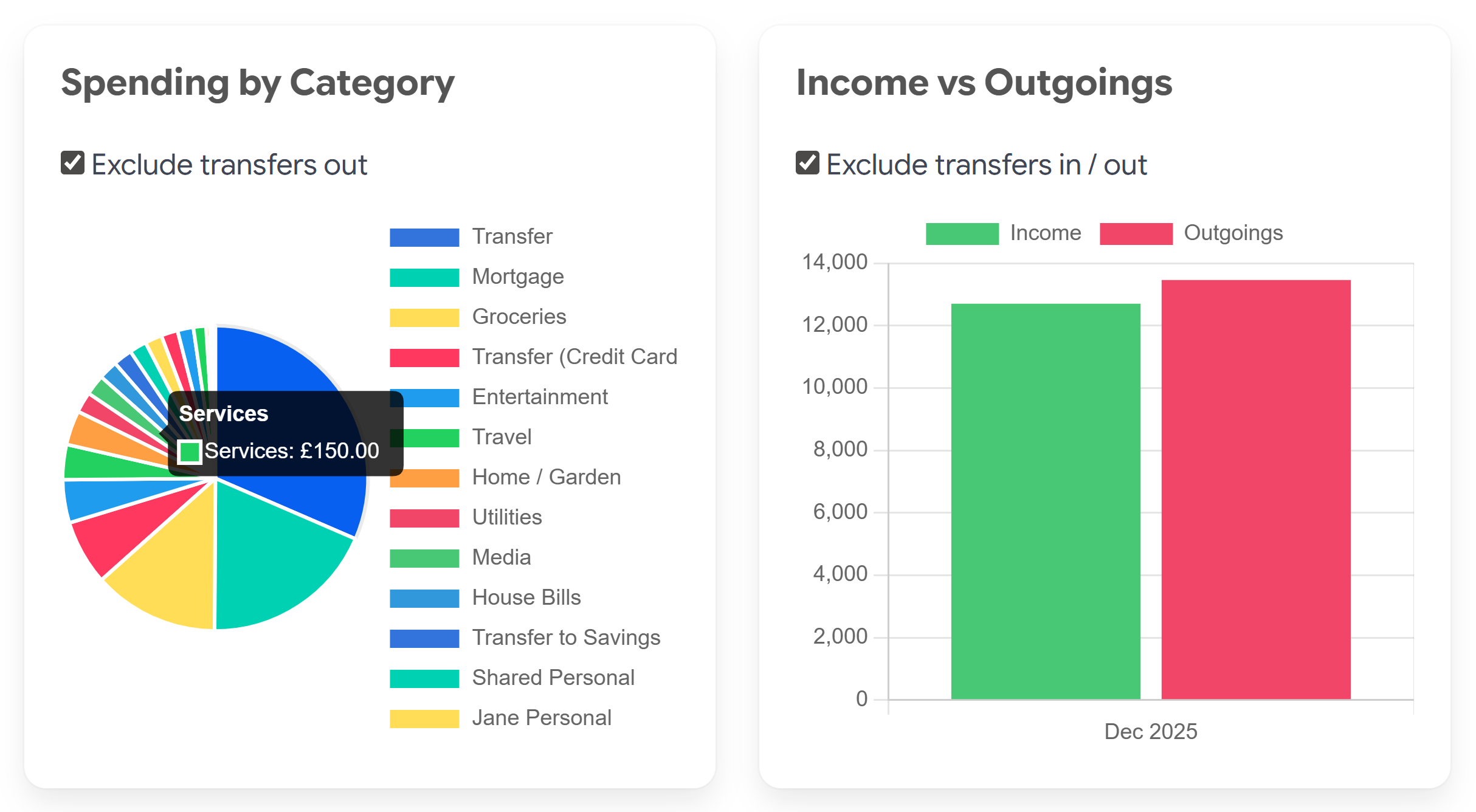
Multiple Ways to View Your Data
Choose from pie charts, bar charts, and detailed tables. Filter and search to focus on what matters. Whether you're tracking daily coffee spending or monthly bills, NumeroMoney adapts to how you work.
- Pie and bar chart visualisations
- Powerful search and filtering
- Category budgets with tracking
- Flexible Date Ranges
Get Started in 3 Simple Steps
From bank statement to spending insights in minutes, not hours
1
Import Your Statement
Download a statement from your bank and upload it. We support CSV, OFX, QFX, and QBO formats from virtually any bank.
2
Categorise Transactions
Quickly categorise your transactions. Our AI learns from your choices and suggests categories for similar transactions.
3
Understand Your Spending
View beautiful charts and breakdowns. Finally see exactly where your money goes and identify areas to optimise.
Simple, Transparent Pricing
Choose the plan that fits your needs
Free
£0
/ month
Perfect for getting started with basic money management
Pro
£4 / $5
/ month
Full-featured money management for serious users
- Everything in Free, plus:
- Multiple bank accounts
- Share with family or partner
- Advanced search & filters
- Split transactions
- Category budgets
- MOST POPULAR
Ready to Take Control of Your Finances?
Join thousands who finally understand where their money goes
Start Free TodayNo credit card required • 30-day Pro trial • Cancel anytime
See NumeroMoney in Action
Watch our 3-minute demo to see how easy it is to get started
Video Transcript
Welcome to the demonstration of NumeroMoney, a simple, easy-to-use web application that helps you to understand where your money goes. In this walkthrough, we'll show you how to get started importing your first bank statement and begin with the categorisation of transactions, which will help you to build a clear picture of your spending habits.
We start with the "Create Bank Account UI". We'll automatically detect your timezone and local currency based on your browser settings, but you can change these if your timezone or bank account currency is different.
Next we'll import our first bank statement. You can import from CSV, OFX, QFX or QBO formats, depending on the format that your bank uses.
NumeroMoney has intelligent AI-assisted bank statement format detection to help with the mapping of statement data. For CSV uploads, column and date format can usually be auto-detected. You have the option to make changes to how data is imported if you need to. The format can be saved and reused for future statement uploads.
With your transactions imported, you can now categorise each transaction. Add categories on the fly, or in bulk in the category editor. NumeroMoney will suggest categories based on the bank statement description column from previous category selections. After you have categorised your first set of transactions, you'll find working through the next set much faster as NumeroMoney will recognise many repeat transactions.
The main category editor allows you to create parent and child relationships between spending categories. This lets NumeroMoney report on 'Bills', but also on sub-categories - 'Energy Bills' (for example). You can mark categories as 'Transfer Categories' to enable the exclusion of transfers from spending charts and reporting.
Add notes to transactions to make it clear what the spending was for. This information can be shown when you drill down in grouped transaction data later on.
Split transactions allow you to portion a transaction across multiple categories, if for example you have bought multiple items in one purchase that require separation. The split transaction controls help by maintaining a total as you adjust amounts.
With your transactions categorized, you can use NumeroMoney's charts and spending category breakdown to clearly visualise your spending. We've designed NumeroMoney to make understanding your spending and finding where you might want to prioritise adjustments simple and intuitive. Transactions are totalled by category and sub-category. To display the transactions that contributed to a category total, click the "show transactions" button.
Searching transactions in NumeroMoney is simple. You can use description, amount, category and date range to filter to the transactions that you want to see. Charts and breakdowns will adjust according to your filters.
Share your transactions with others to help manage joint spending. Users with access to your statement transactions can help you with categorisation and enables them to see the same charts and breakdowns available to you.
Try NumeroMoney today. Pro features are available to all new users for 30 days. After 30 days, you can continue to use NumeroMoney basic features, which includes bank statement import, categorisation and spending charts, or upgrade to Pro for access to all NumeroMoney's features. Thanks for watching, we hope to see you on NumeroMoney again soon.