Finally, a simple way to understand your spending without sharing your bank login
Have you ever looked at your bank balance and wondered, "Where did all my money go?" You're not alone. Despite earning a decent income, millions of people struggle to understand their spending patterns. The end of each month arrives, and the money has seemingly vanished into thin air.
The truth is, it doesn't have to be this way.
You can try NumeroMoney for free and see where your money goes: numeromoney.com
The Problem We All Face
Modern life is busy. Between work, family, and everything in between, who has time to meticulously track every purchase? Most of us have tried one of these approaches:
Spreadsheets: Hours spent manually entering transactions, formatting cells, and creating formulas. By the time you've finished, you're too exhausted to actually analyse anything.
Banking apps: They show you a list of transactions, but that's about it. No insights, no patterns, no understanding of where categories of spending add up.
Budgeting apps that want your bank login and require complex budgeting set ups: You might be uncomfortable handing over your credentials to a third party, or maybe you're but off by the complex onboarding workflow and strict budget set up required.
The result? We continue spending without truly understanding our habits, missing opportunities to save, and feeling vaguely guilty about our financial choices.
A Better Way: NumeroMoney
NumeroMoney takes a different approach. Instead of requiring access to your bank account, you simply download a statement from your bank (something you can do in seconds) and upload it to NumeroMoney. Within minutes, you'll have a crystal-clear picture of where every pound goes. Budgeting is optional, set budgets on a per category basis for none, all or just some of your spending categories.
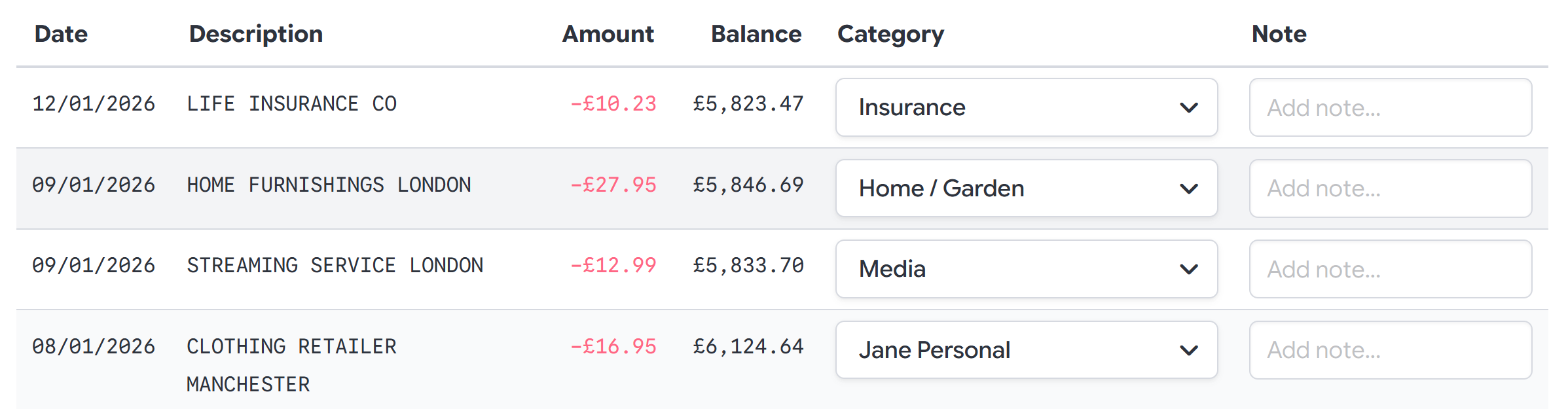 Categorise transactions quickly with intelligent suggestions that learn from your choices
How It Works: Three Simple Steps
Step 1: Import Your Statement
Download a statement from your bank's website or app. NumeroMoney supports CSV, OFX, QFX, and QBO formats—virtually every bank in the world can export in at least one of these formats. Our AI-powered format detection automatically maps your statement columns, so you don't need any technical knowledge.
Step 2: Categorise Your Transactions
This is where the magic happens. Go through your transactions and assign categories like "Groceries", "Dining Out", "Entertainment", or "Bills". Here's the clever bit: NumeroMoney learns from your choices. After categorising a few transactions, it will automatically suggest categories for similar transactions. What starts as a manual process quickly becomes almost automatic.
Step 3: (Optional) Add Budgets
If you want to remind yourself of spending limits you'd like to, you can set budgets, both for overall spending and on individual categories to highlight when you are close to or over the limit you set.
Step 4: See Where Your Money Goes
Instantly view beautiful charts and detailed breakdowns of your spending. For the first time, you'll see exactly how much you spend on coffee each month, how your grocery bills compare over time, and where those mystery purchases are hiding.
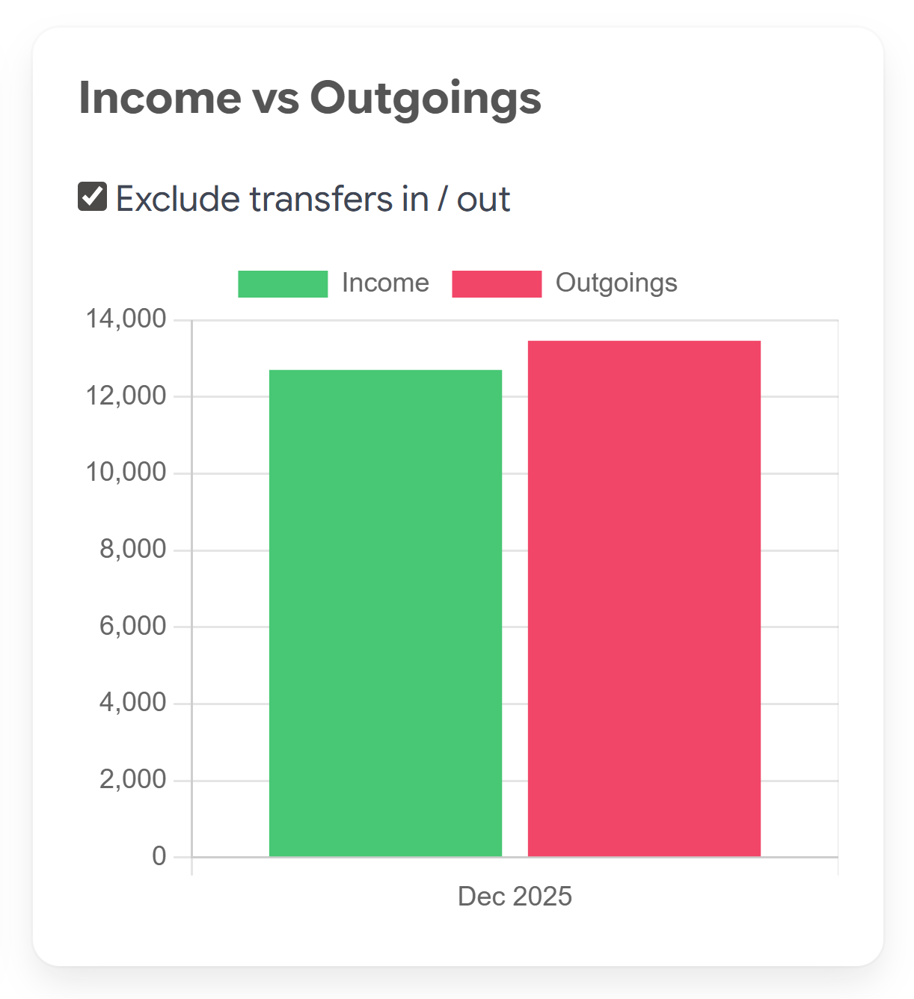
Beautiful, interactive charts transform your raw transaction data into actionable insights
Features That Make the Difference
Smart Categorisation That Learns
NumeroMoney's intelligent categorisation system remembers your choices. Categorise "MY FAVOURITE COFFEE SHOP" once as "Dining Out", and every future "MY FAVOURITE COFFEE SHOP" purchase will be automatically suggested. The more transactions you categorise, the more can be automatically matched in the future.
- AI-powered category suggestions
- Create custom categories that fit your life
- Split single transactions across multiple categories
- Add notes for future reference
Visual Analytics That Tell a Story
Numbers in a spreadsheet don't inspire action. Beautiful, interactive charts do. NumeroMoney transforms your raw transaction data into visual insights that make patterns jump off the screen.
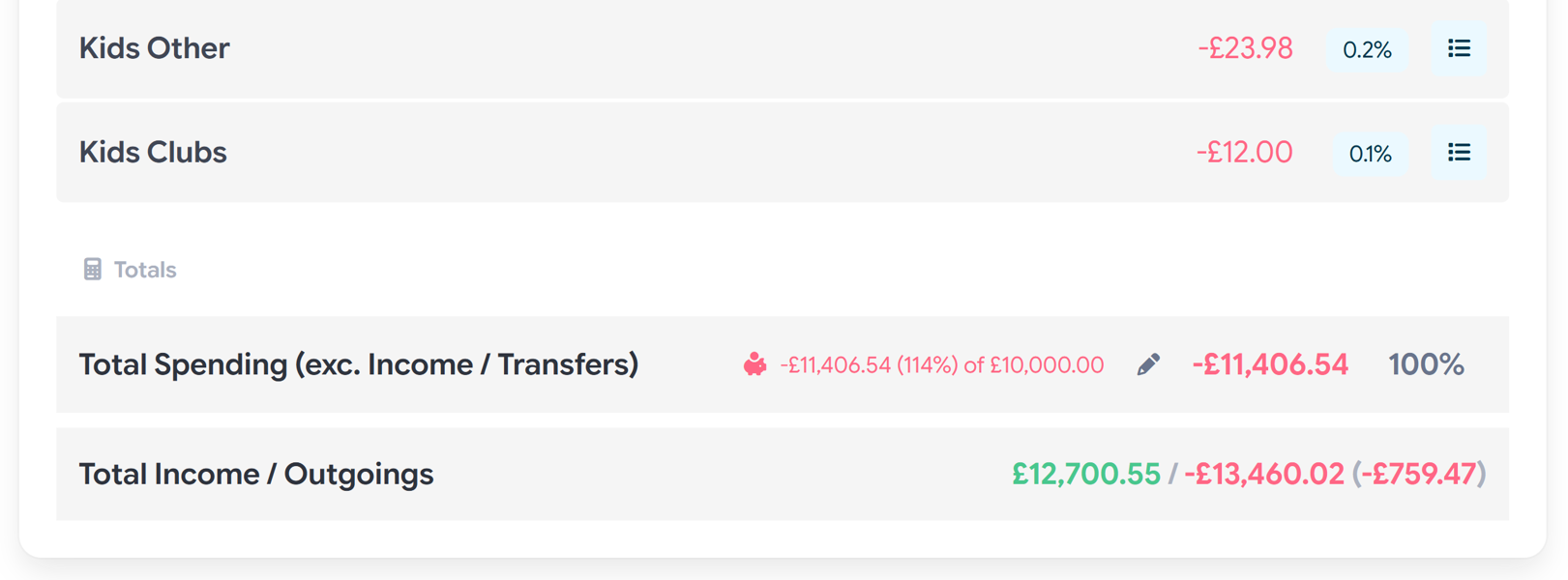 Get a complete breakdown of your spending by category, with the ability to drill down into individual transactions
- Interactive pie and bar charts
- Compare spending month-over-month
- Filter by date, category, or amount
- Drill down from totals to individual transactions
Deep Insights, Not Just Data
Ever wondered exactly how much you spend on subscriptions? Or how your "quick trips" to the supermarket actually add up? NumeroMoney's hierarchical category system lets you organise your spending the way you think about it.
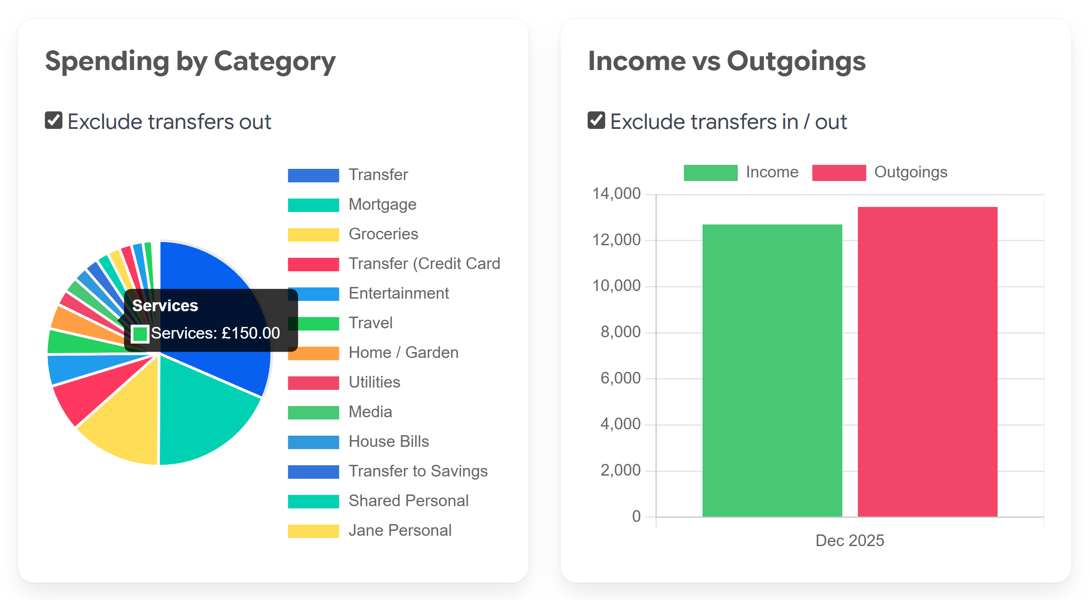 Multiple ways to view your data—choose the visualisation that works best for you
- Create parent and child categories (e.g., "Bills" → "Energy Bills", "Phone Bills")
- See both detailed and high-level views
- Exclude transfers to see true spending
- Export your data (no lock in)
Budget Tracking (Pro)
Set monthly or yearly budgets for categories and track your progress. Visual indicators show when you're on track and when you might need to adjust your spending.
Share With Your Partner (Pro)
Managing household finances together? Share your transaction data with family members or your partner. They can help with categorisation and see the same insights you do.
Your Privacy, Protected
Here's something important: NumeroMoney never accesses your bank account directly.
We believe you shouldn't have to hand over your banking credentials to understand your spending. You export statements from your bank and upload them to NumeroMoney. Your data is encrypted with modern security standards, and you remain in complete control.
- No bank login required
- Modern encryption protects your data
- Works with any bank worldwide
- You control what you share
Simple, Transparent Pricing
Free Plan — £0/month
- One bank account
- Transaction categorisation
- Spending charts and breakdowns
- AI-powered CSV mapping
- 30-day Pro trial included
Pro Plan — £4/month (or $5)
- Everything in Free, plus:
- Multiple bank accounts
- Share with family or partner
- Advanced search and filters
- Split transactions
- Category budgets
No hidden fees. No complicated tiers. Just straightforward pricing that respects your wallet.
Get Started in 2 Minutes
We've designed NumeroMoney to be fast. Really fast. From signing up to viewing your first spending chart takes about 2 minutes. That's it. No complex setup. No waiting for bank connections. No phone calls to verify your identity. Just simple, immediate insight into your money.
Ready to Finally Understand Your Finances?
Every month that passes without understanding your spending is a month of missed opportunities. Opportunities to save. Opportunities to redirect money toward what truly matters to you. Opportunities to feel confident about your financial choices.
NumeroMoney is free to start, with a 30-day Pro trial so you can experience every feature. No credit card required. Cancel anytime.
NumeroMoney is built by App Software Ltd, a UK-based software company dedicated to creating tools that make a genuine difference in people's lives.
Frequently Asked Questions
Do I need to give you my bank login? No. You download statements from your bank and upload them to NumeroMoney. We never have access to your banking credentials.
Which banks are supported? Any bank that allows you to export statements in CSV, OFX, QFX, or QBO format—which is virtually all of them.
Is my data secure? Yes. We use modern encryption standards to protect your financial data. Your information is stored securely and never shared with third parties.
Can I try it before committing? Absolutely. The Free plan is free forever, and includes a 30-day trial of all Pro features. No credit card required to sign up.
What if I have multiple bank accounts? The Free plan supports one bank account. Upgrade to Pro to track multiple accounts and see your complete financial picture.